file-browse — your working directory, in a browser
/browse serves the project you are working in to a loopback page and opens it: a
tree, file previews, a fuzzy quick open, and a read-only git diff. Nothing on the
page writes.
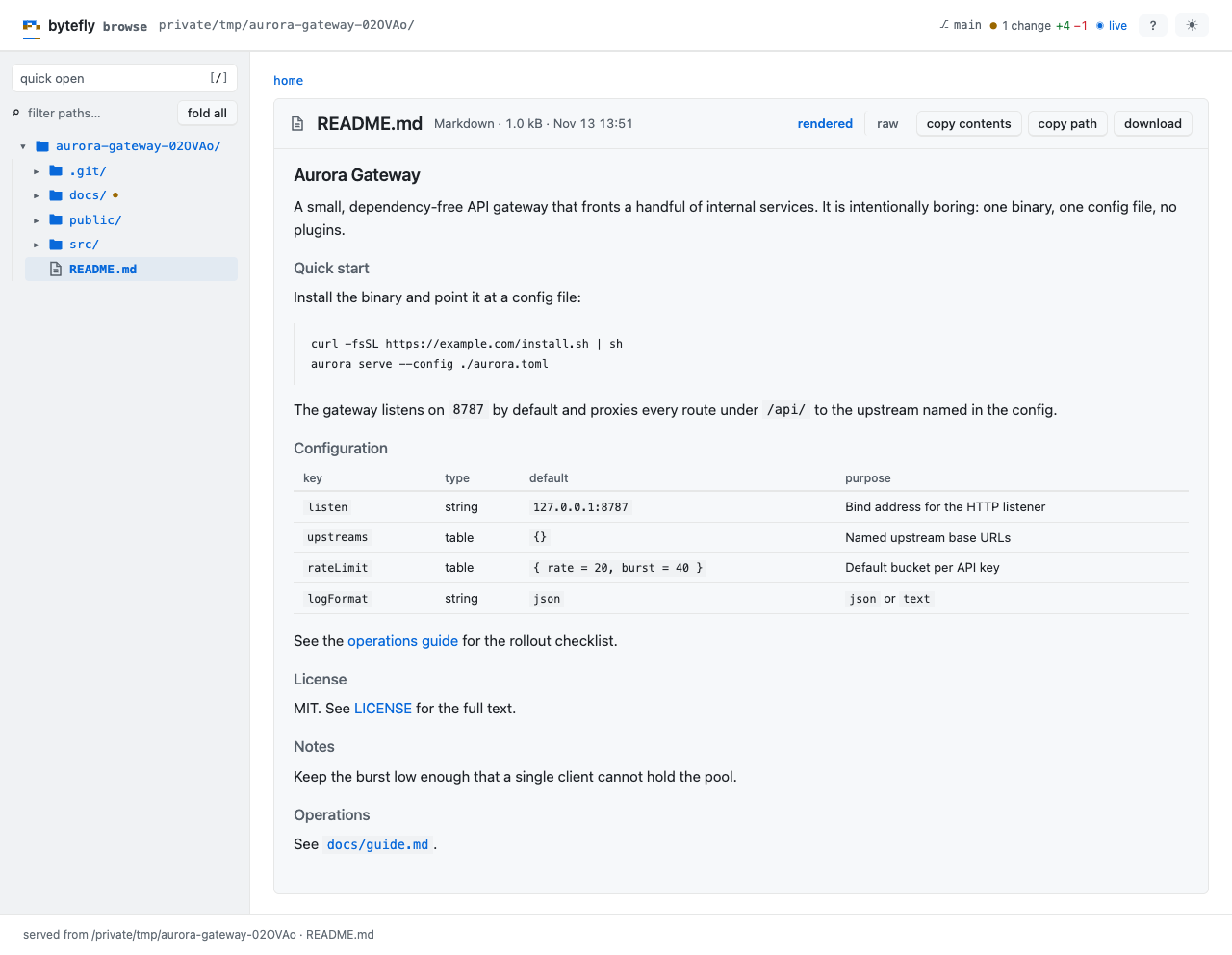
- Read-only. The server answers
GETandHEAD, binds127.0.0.1, and never edits a file. - The session’s one port, so a bookmark survives a restart.
- It follows the session: enter or leave a worktree and the open page re-roots itself on the same URL.
What you can do
| What you want | What to do |
|---|---|
| Open the page | /browse — at the working directory, or /browse <path> for a subdirectory |
| Jump to a file | Ctrl+K (Cmd+K), then type part of the path |
| Read Markdown as a page | click the file; the toolbar has a raw view |
| Look at an image | click it — thumbnails are inline in the listing |
| Read a diff | the changes tag, or /files/diff; n/p move between hunks |
| Paste a line reference | select lines, then copy the path:12-30 form |
| Sort a folder | the Name / Size / Modified headers |
| See every key on the page | ? opens the shortcut sheet |
| Find the address again | /browse status |
| Stop the server | /browse stop, or close the last tab |
Try it
/browse
The URL is printed and the page opens on the project’s port. Ctrl+K finds a
file, and the toolbar copies a path, the contents, or a line reference.
Browse your working directory walks the page.
Reference
Commands. /browse starts at the working directory; /browse <path> starts
at a subdirectory of it (a path outside is refused); /browse status prints the
root and URL, or “not running”; /browse stop closes it.
Routes. Everything lives under /files/: the tree and a listing
(/files/browse/<rel>), a file page (/files/view/<rel>, ?raw=1 for source),
raw bytes (/files/raw/<rel>), the diff (/files/diff[/<rel>]?mode=head|staged|worktree),
and the JSON calls the page makes for the tree, quick open, and the reload check.
/files/events carries the live status frames.
Previews. Markdown renders as headings, lists, tables, code, and links, with raw HTML allowlisted; code files are tokenized for JavaScript/TypeScript, JSON, CSS, HTML and template components, shell, Python, Java, YAML, and SQL. The tokenizer is first-party and carries state across lines, so a block comment or a template literal colours correctly.
Sorting and copying. Directories come first; the sort is remembered per
browser. The toolbar copies a path, the contents, or a path:12-30 reference for
a selection, and toggles line wrapping — a narrow window wraps by default.
Live status. While a page is open it patches its own tags and row markers
from /files/events: branch, change markers, and the reload hint. The root
moving — a worktree switch — reloads the page onto the new tree.
Limits
- Loopback only, and no token: any process running as you can read what the page
serves, exactly as it could from the filesystem. What bounds it is the working
directory it is rooted at, a server that answers only
GETandHEAD, and theHostallowlist, with no CORS headers; there is no LAN exposure. - Live status patches what the page already has. A new file on disk needs the
page’s
⟳ reload; the check covers the listed folder by name, not the folders inside it, a listed file’s contents, or a file page’s diff. - Files over
maxFileBytesshow a download card; images overmaxThumbBytesget an icon; long listings and diffs are truncated with the cap named. - It is not a static-file server: the root is confined to the session’s working directory, and a subdirectory must resolve inside it.
Settings
| Key | Default | What it does |
|---|---|---|
autoOpen |
true |
Open the browser on start; false keeps it headless and only prints the URL. |
maxFileBytes |
1048576 |
Larger files show a download card instead of a view. |
markdown |
true |
Render Markdown files as pages. |
gitDiff |
true |
Offer the read-only diff view. |
live |
true |
Stream live status to open pages. |
The rest — thumbnail, listing, and diff caps, maxIndexEntries, diffContext,
and liveIntervalMs — are in
configuration. To
switch the extension off, toggle file-browse in /bytefly.
Learn more
- Browse your working directory — the walkthrough.
serve— the server and its port.worktree— the checkout the page follows.