my-pi-agent — a Pi package for working in a terminal
@gavin-hu/my-pi-agent is a set of extensions, skills, and themes for
Pi: the coding agent you run from a terminal. It does not fork
Pi and writes no installed file — Pi discovers everything through the package’s
own manifest, so the pack upgrades like any other package.
Everything in it is optional and independently switchable.
Install
Requires a working Pi installation. git on PATH is needed by worktree and
rewind; everything else degrades or disables cleanly.
pi install npm:@gavin-hu/my-pi-agent
To pin a release, install from the tag instead:
pi install git:github.com/gavin-hu/my-pi-agent@v0.26.0
Then /bytefly opens the control center, where each extension can be switched on
or off, its settings changed, and /bytefly doctor names anything missing.
Install has the upgrade, removal, and requirements in full.
What you get
21 extensions, 3 packaged skills, and 2 themes, grouped by the work they serve. The extension index and the skill index list every one, and the README carries the same catalog with the tools and commands each delivers.
- Plan before writing.
plankeeps a task in read-only planning mode, saves a plan under~/.pi/agent/plans/<repo-key>, and waits for your approval. - Never wreck the checkout.
worktreemoves a task onto its own branch in agit worktree, andrewindsnapshots each prompt’s first change. - Delegate in parallel.
subagentruns a specialist agent in its own Pi process;session-bus,board, andteamcoordinate several sessions on one repository. - Long work in the background.
jobruns a shell command and keeps its log,watchtails a file or command, andtodoandgoalkeep the thread visible. - Reach the web and your files.
web-accesssearches and fetches,file-browseserves the working directory to a loopback page,file-readextracts PDF, DOCX, XLSX, and more, andfile-openhands a file to the OS. - A terminal that explains itself.
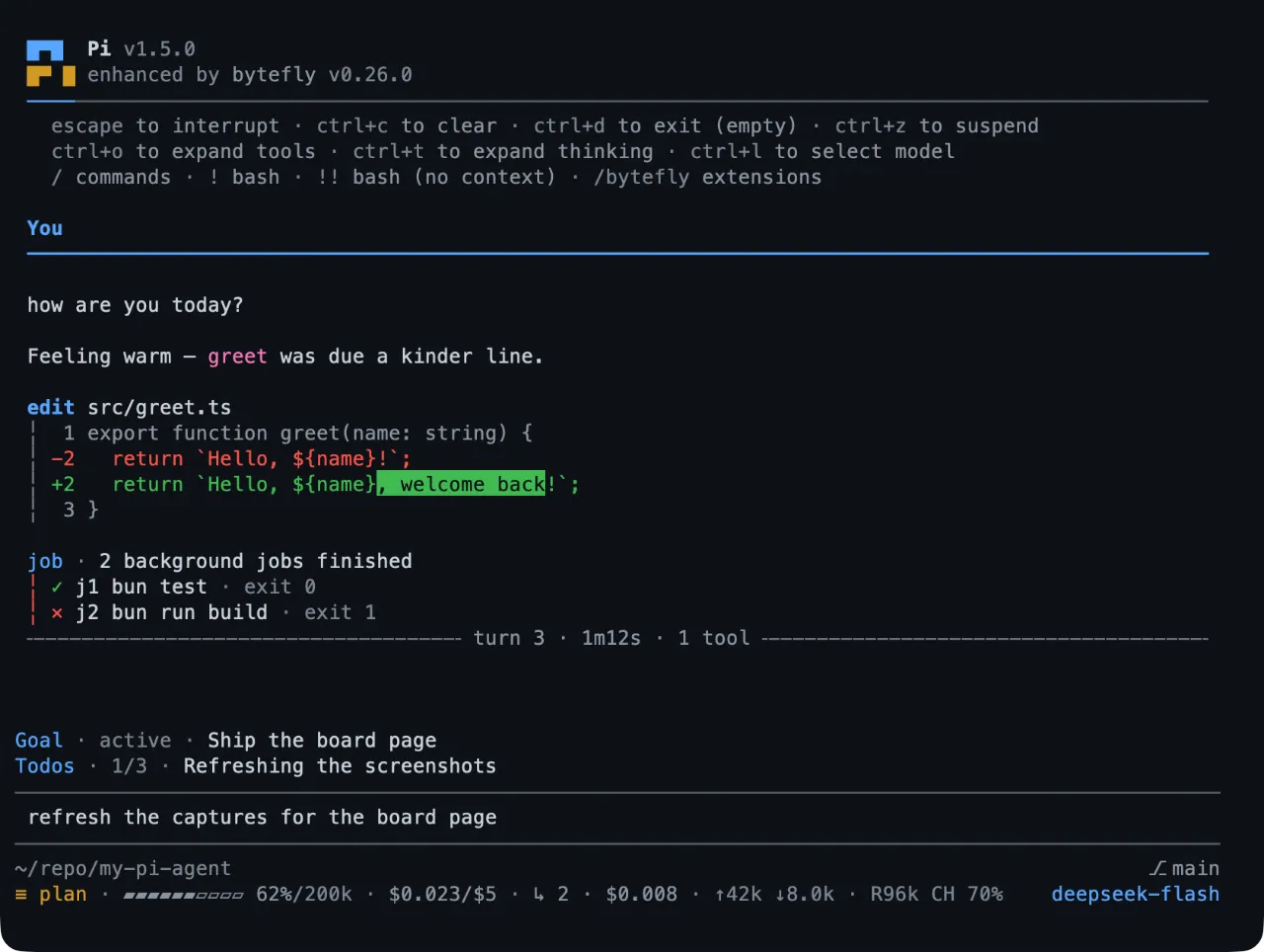
byteflygives Pi its header, footer, transcript blocks, settings screen, and notifications.
Skills
Packaged workflows loaded on demand: each skill’s name and description are
advertised to the model, and its instructions load only when the task matches
(/skill:<name> forces one).
| Skill | What it does |
|---|---|
init |
Creates or updates the instruction file Pi reads, through an interactive interview and a plan you review. |
refactor |
Audits for duplication, oversized modules, coupling, and drift, then carries the refactor you pick. |
next |
Suggests what to do next from this conversation, or from the tree when it is empty. |
Themes
bytefly-dark is a GitHub-inspired dark palette and bytefly-light its light
companion, with optional automatic light/dark switching. Installing the pack does
not change your theme: pick one through /bytefly settings → Theme, or set
"theme" in Pi’s settings.json to "bytefly-light/bytefly-dark" for switching.
What runs on its own
Once per interactive session, bytefly asks Pi’s package manager which
configured packages are behind, and posts one themed notice naming
pi update --extensions; a newer Pi gets a notice naming pi update. Nothing
about the session is sent, and PI_OFFLINE skips the check —
bytefly has the mechanics and
Security the trust boundaries.
Start here
- Install — add the pack to Pi, pin a version, upgrade it.
- Configuration — where a setting lives, and how to change one.
- Configuration keys — every
bytefly.jsonkey, with its default and bounds. - Several sessions — one repository, more than one session, and the round the cards, the bus, and the lead’s turns make together.
- A minimal install — what each part costs while it is on, and how to run the pack with most of it switched off.
- Troubleshooting — when a surface does not work: the sentence it printed, why, the fix, and the page that owns it.
- All extensions — one page per extension, opening with what it does and the tools and commands that deliver it.
- Tools and commands — every tool and slash command the pack registers, by name, with the page that owns it.
- Tutorials — eleven walkthroughs, the three to read first, and the rest grouped by what you are doing.
- Skills — the three packaged workflows, and when to reach for one instead of asking in words.
- Security — what the pack opens on your machine, and how each surface is gated.
Where to get help
A surface that does not work has one page: Troubleshooting starts from the sentence the terminal printed and names the fix and the page that owns it.
/bytefly doctor prints what each enabled extension needs at runtime and what is
missing. The repository carries the
changelog, the
issue tracker, and the
contributor guide.