context — see where the window goes
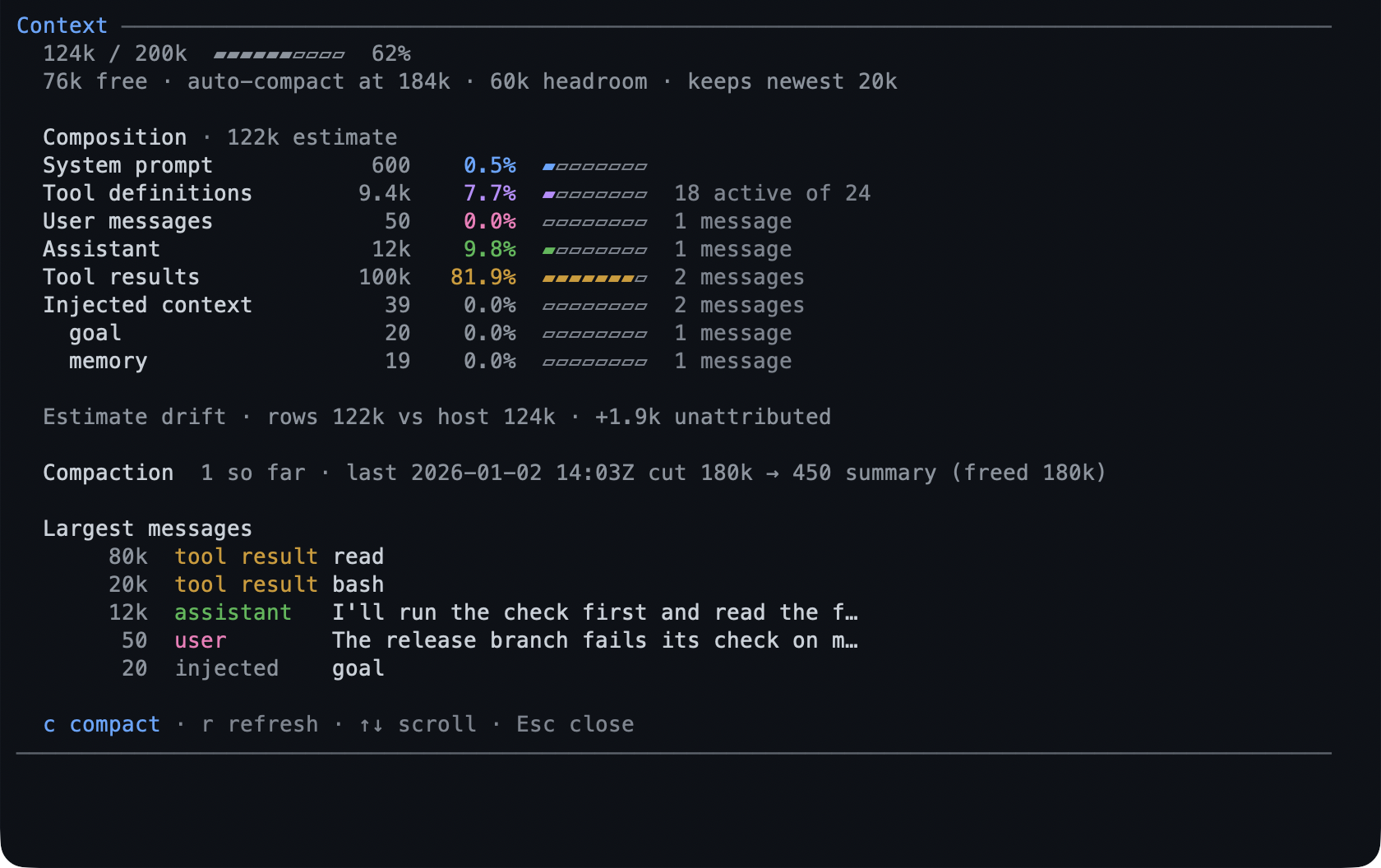
/context reports what your context window is made of: the system prompt, the
tool definitions, the conversation by role, injected notes, summaries, and shell
output. When the window is nearly full, the same report is where you compact.
- A report, not a tool — the model’s prompt budget is untouched.
- Where it went, not just how full: the parts are named, and the difference between Pi’s total and the estimate is shown rather than hidden.
- Compaction from the report, with the before and after numbers.
- It refuses to compact while a turn is streaming or another compaction runs.
What you can do
| What you want | What to do |
|---|---|
| See the window | /context |
| See what is using it | the composition table and bars in the same report |
| Find the biggest single items | the largest-messages list in the report |
| Compact | c on the screen, or /context compact |
| Compact with instructions | /context compact keep the design notes and the failing test |
| See what compaction did | the before and after counts in its result |
| Check the history | the compaction count and what the newest one cut |
Try it
/context
If the conversation is the bulk of it, press c — the report tells you what it
will cost before it runs, and the result reports the new total.
Reference
The command. /context opens a scrollable screen in the TUI and prints the
same facts as text in rpc, json, and print modes. /context compact
[instructions] compacts without opening the screen.
What it reports. Pi’s own estimate — tokens, window, percentage, free space,
and the auto-compaction threshold with the headroom left — then the composition:
system prompt, active tool definitions, conversation by role, injected pack
context, summaries, and shell output, each with a gauge. A drift figure names
what the estimate cannot attribute.
After a compaction. The report shows the branch’s compaction count, what the newest one cut from and to, what its summary costs, and a pending total while Pi recalculates rather than a made-up number.
Limits
- The numbers are estimates, and an estimate with unattributed remainder says so.
- It cannot compact a streaming turn or a compaction already running.
- Injected context is counted where it lands, so a change in an extension’s injected text moves this report too.
Learn more
- Configuration — the settings an extension’s injected text answers to.
plan— the largest single injected block in a planning session.